



For Yandex Smart Home and Xiaomi Mi Home
Your home deserves its own screen.
Turn an Android tablet into a shared smart home dashboard. Connect Yandex Smart Home, Xiaomi Mi Home, or both. Lights, climate, curtains, and your robot vacuum are easy for everyone at home to reach. No more asking who has the phone.
APK · 83 MB · 3-day free trial. Supported controls vary by integration. Install on another device · Check supported features
Check your devices before installing
| Integration | What is available | What to check |
|---|---|---|
| Yandex Smart Home | Supported lighting, climate, curtains, vacuum and other controls exposed by the connected service. | Available commands depend on the model and its Yandex integration. Try the actions you need before buying. |
| Xiaomi Mi Home | Control enabled lights. View supported sensors, air purifiers and water filters. | Other supported categories are displayed for reference. Cameras and locks are not supported. Choose your account’s server region. |
| Matter beta | Experimental pairing of compatible Matter devices. | The tested model list is limited. Pairing and available controls are not guaranteed for every model. |
Recommended tablet: Android 14+, 10-inch or larger, 16:9 or 16:10. Check your own setup during the 72-hour trial.
How to install NOVA HOMEYou have a smart home,
but the controls are on one person’s phone.
The smart home is set up on the phone of the person who installed it. Everyone else still looks for a switch, asks someone to turn things on, or calls out to Alice from the next room.
Can you make the lights warmer? I’m not sure how.
She doesn’t need another app to learn. She needs a button that makes sense.
Dad, it’s too hot in my room!
They call you to change the temperature—right when you’re at work.
How do I turn on the lights?
You don’t want to share your smart home password. Give guests a screen they can use without a tutorial.
One screen for everyone at home.
See it at a glance
Rooms, temperatures, weather, and device status—without digging through menus.
Two taps away
Lighting, climate, curtains, and cleaning controls, right where you expect them.
Easy for everyone
From family to guests: walk up, check, and tap.
More than a gadget,
it belongs in your home.
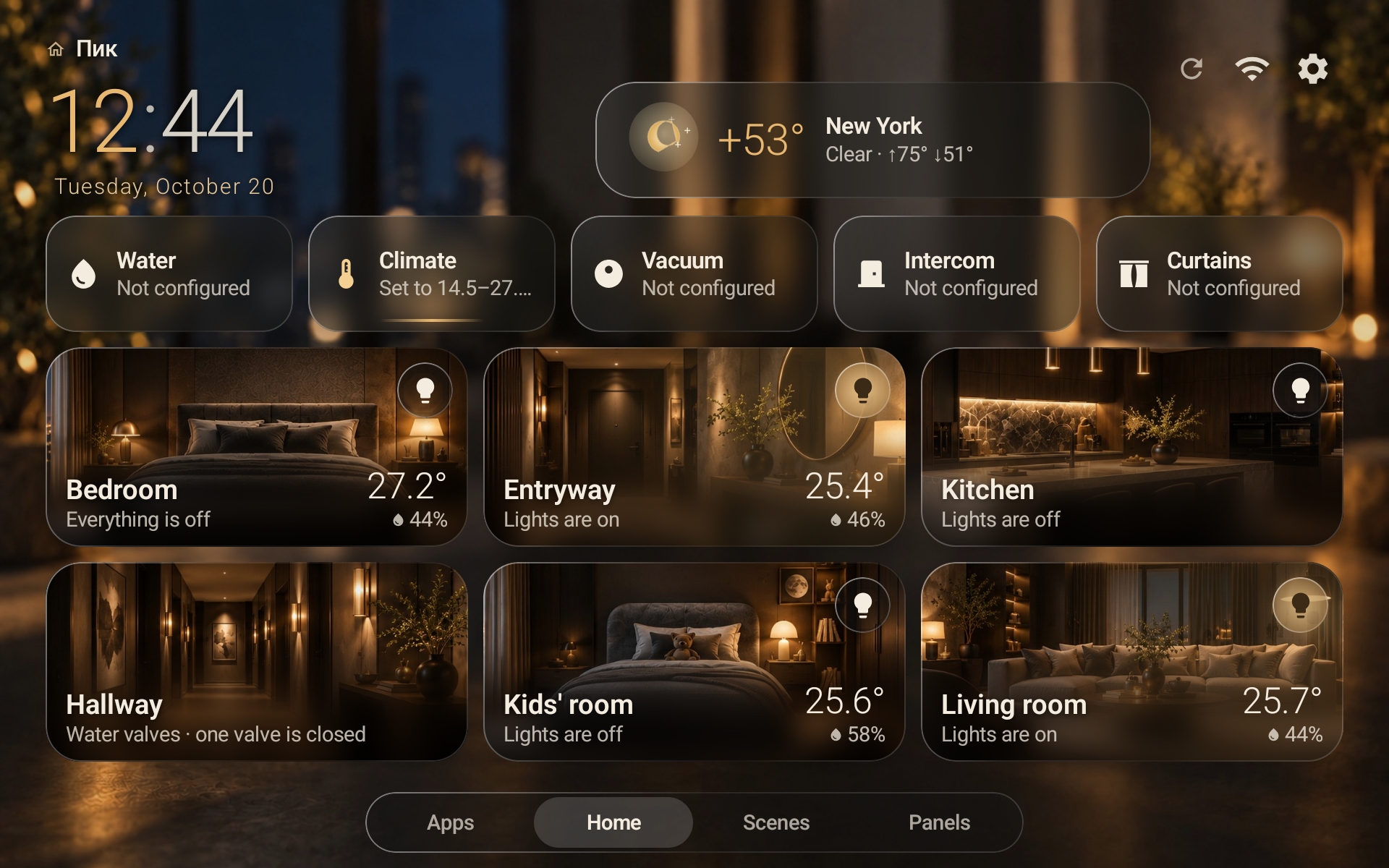
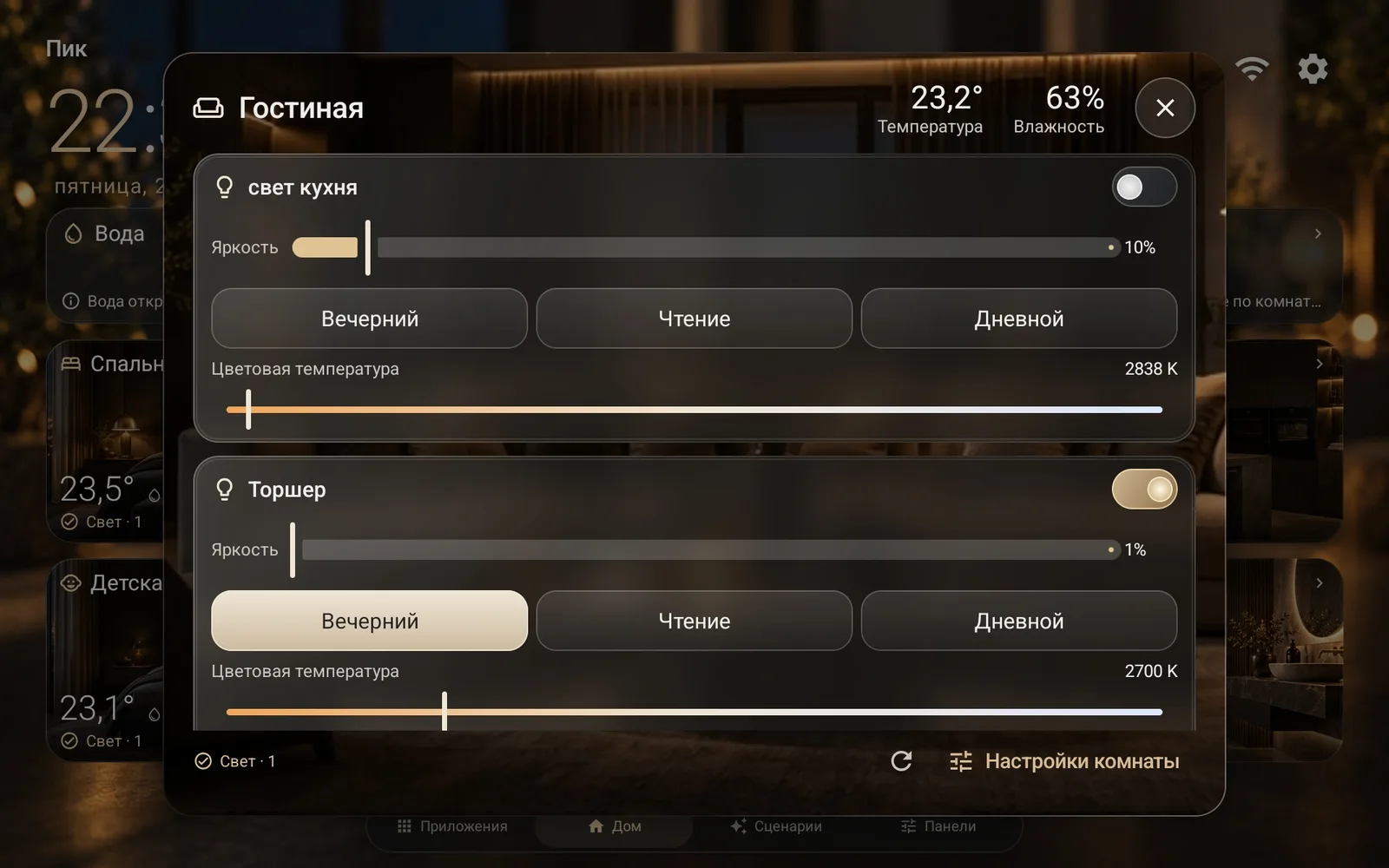
Warm light, soft glass, and a calm layout. These are real screens from the app—not marketing mockups.


Your home changes
with the day.
Dawn in the morning, sunlight by day, a warm sunset in the evening, and city lights at night. The wallpaper shifts with the time of day.
See it
in action.
Rooms, vacuum controls, curtains, climate, water, and live wallpapers—recorded from the app running on a tablet.
Considering a dedicated panel?
Start with a tablet.
If you already have a compatible Android tablet, try turning it into a home dashboard. Check your tablet below.
Aqara Panel Hub S1 Plus
- 6.9-inch display with a built-in hub
- Mains power or USB-C
- Aqara ecosystem panel with Matter support
Home Assistant and a kiosk browser
- Requires a server setup
- Configure devices, cards, and integrations yourself
- Build your own interface
Your tablet + NOVA HOME
- A dashboard for Yandex Smart Home and Xiaomi Mi Home
- A ready-to-use interface for the whole family
- Recommended: 10-inch or larger display, 16:9 or 16:10
- Try it free first
These are different solutions: NOVA HOME is an app, not a hub. The tablet is sold separately. Aqara pricing is listed on Aqara’s official website as of October 3, 2026, and may change.
Three steps
to give your home its own screen.
No need to rebuild your setup. Your devices stay in Yandex and Mi Home; NOVA HOME brings them together on one screen.
Install
Download the app to your tablet from this website. A 3-day trial starts automatically when you register a new tablet.
Connect your smart home
Sign in to Yandex, choose a home, and select what to show. If you use Xiaomi, link Mi Home by scanning a QR code with your phone, then choose your devices.
Keep using it
Like it? Purchase a license for the same tablet. No reinstall is needed.
 NOVA HOMECommands are sent through Yandex and Mi Home. Available controls depend on the device and its integration.
Will your
tablet work?
Choose your tablet’s specs
We recommend Android 14 or later, a 10-inch or larger screen, and a 16:9 or 16:10 display. Try it free with your devices before you buy.
Try it first.
Decide later.
No upfront payment or subscription. Try the app on your tablet and pay only if you decide to keep using it.
Pay once. No monthly charges.
- Try before you buy
- All screens and features
- Live wallpapers and large clock
- App updates
- Activation without reinstalling
- Email support
Viewing this page on another device?
Scan this code with your tablet to open the installation guide and current APK.

The essentials
at a glance.
Why is the app free to download if it requires a license?
You can download the app and try it free for 3 days. After that, a license lets you keep using it on one tablet.
Which devices are supported?
NOVA HOME can display devices already connected to Yandex Smart Home, including lights, climate controls, curtains, and robot vacuums. With Xiaomi Mi Home, it can display lights, temperature and humidity sensors, air purifiers, and water filters. Available controls vary by device and integration. Try your own setup during the trial before purchasing.
How do I connect Xiaomi Mi Home?
In NOVA HOME settings, open Mi Home, choose your server region, and scan the QR code with your phone. The dashboard does not ask for your Xiaomi password. Then choose which devices to show. Control is currently available for lights you enable for control; other supported devices are shown for reference. Cameras and locks are not currently supported. Xiaomi and Mi Home are trademarks of their respective owners. NOVA HOME is an independent app.
Does it support Matter?
Yes, currently in beta. In Settings, open Matter (beta), take the tablet off the wall, tap Add Matter device, and scan the device QR code or enter its setup code. You don’t need a Google or Yandex account for this. The list of tested devices is still limited, so some devices may not connect. If you run into an issue, send a screenshot of the recent activity log at the bottom of the Matter screen, along with the device model, to Fredkor@yandex.ru, and we’ll use the details to improve compatibility in a future release.
Do I need to set up my smart home again?
No. Your devices and scenes stay in Yandex. Before you start, make sure devices are assigned to the right rooms and have clear names.
What information is needed for payment and activation?
Your NOVA ID identifies the tablet to activate. For Boosty purchases, send it in a private message from the account used to pay. Do not send your smart home password or card details. Read about data handling.
How are Yandex and Mi Home connected?
You sign in through the selected ecosystem; Mi Home uses QR confirmation. The app stores service credentials encrypted on the tablet using Android Keystore. Ecosystem tokens are not sent to the NOVA HOME license server. Disconnect the integration in the app settings; you can also revoke access separately in the ecosystem’s own settings. Details.
How does activation work?
After purchasing on Boosty, open Settings → About in NOVA HOME and copy your NOVA ID. Send it to me in a private Boosty message from the account you used to purchase. I’ll verify the payment and activate your tablet, usually within 20–30 minutes. No need to reinstall the app.
Can I use it on multiple tablets?
Each license covers one tablet. You’ll need another license for an additional screen, such as one in the kitchen or bedroom.
Does it need an internet connection?
Yes. Commands go through Yandex Smart Home and Mi Home, so the tablet needs an internet connection.
When does the 3-day trial start?
It lasts 72 hours from the first registration of a new NOVA ID on the license server. Downloading the APK does not start it. When the trial ends, the tablet waits for activation. Downloading or updating does not restart the trial.
Can I transfer my license to a replacement tablet?
Contact the developer with proof of purchase, your NOVA ID, and a description of what happened. A license covers one tablet. You do not need to uninstall the app to update the same tablet.
Which updates are included?
Routine app updates, fixes, new wallpapers, and added device support are included without another payment. No specific future device, feature, or release date is promised. License terms.
Which price applies after the trial?
The current price shown before purchase. The trial does not reserve a promotional price. For international purchases, check the price and payment terms on Boosty.
Try it for three days. Then decide.
Try NOVA HOME on your tablet and make your smart home easy for everyone at home to use.
1 490 ₽ one-time · 48 of 50 left at this price